

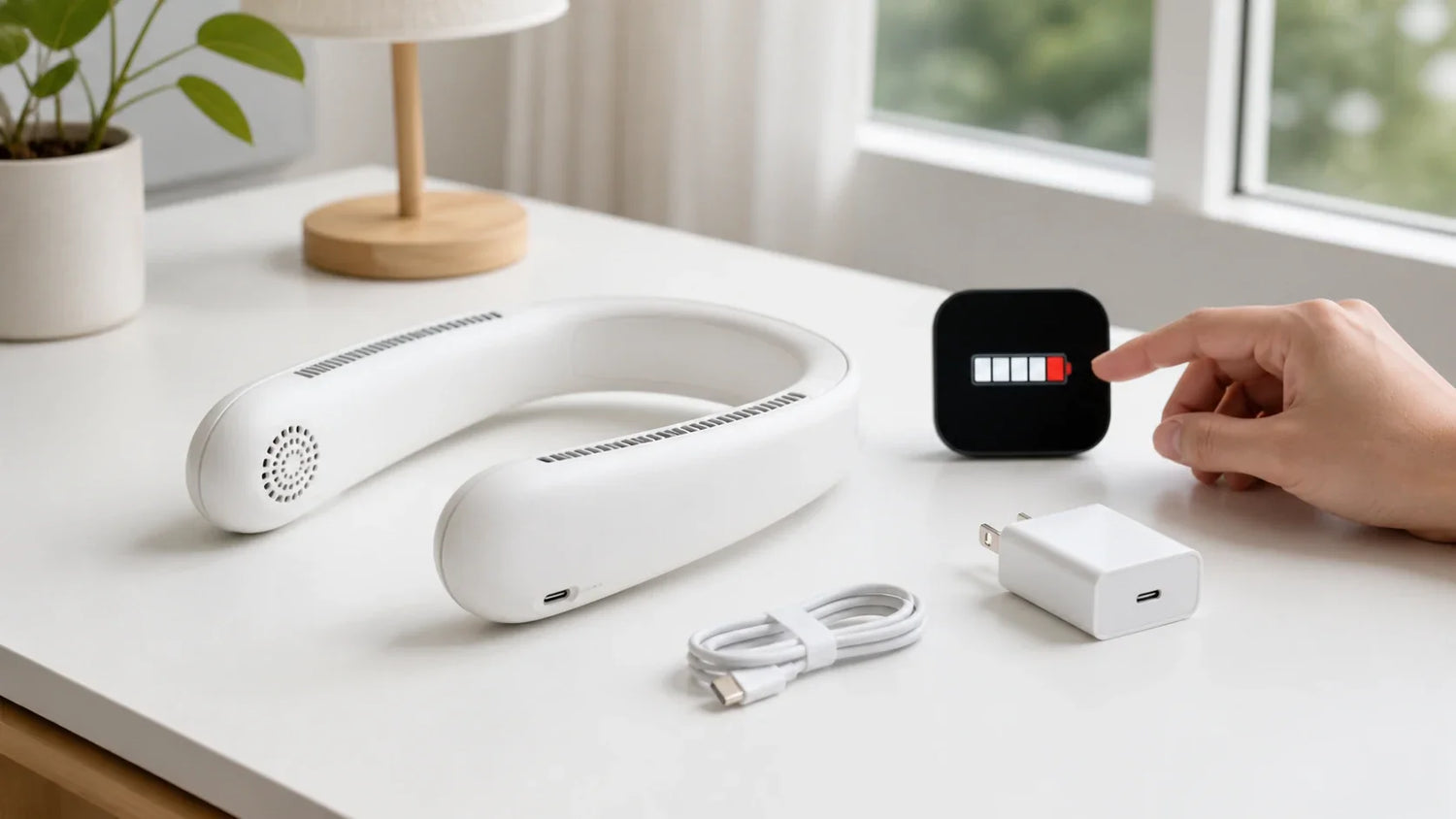
الإجابة المختصرة: يعتمد عمر بطارية مروحة الرقبة على طاقة البطارية ووضع الطاقة والتبريد النشط، لذا قارن بين واط-ساعة—وليس مللي أمبير-ساعة فقط.
قد يبدو ادعاء وقت التشغيل الطويل بسيطًا.
الاستخدام الحقيقي ليس كذلك.
سرعة المروحة مهمة. ألواح التبريد أكثر أهمية. الحرارة وعمر البطارية والتحكم التلقائي يمكن أن تغير النتيجة أيضًا.
يوضح لك هذا الدليل كيفية تقدير وقت التشغيل. كما يشرح كيفية الشحن بأمان.
كم تدوم بطارية مروحة الرقبة؟
لا توجد إجابة واحدة لكل مروحة رقبة.
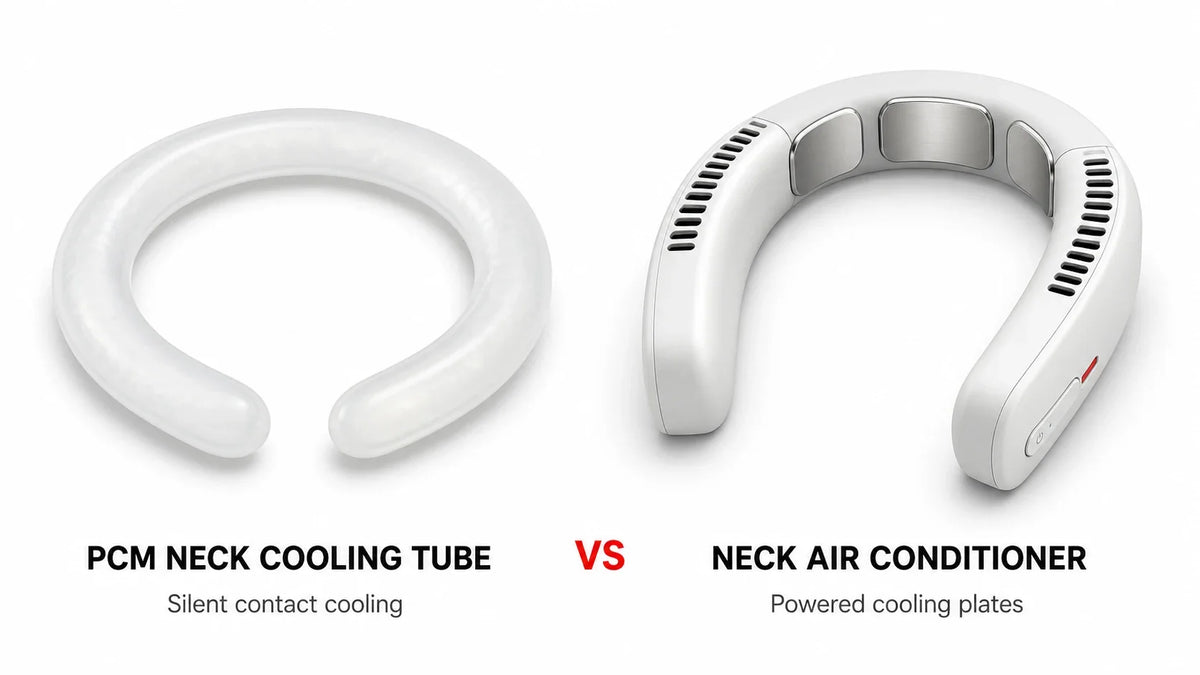
نموذج المروحة فقط عادة ما يحتاج طاقة أقل من مكيف هواء الرقبة مع ألواح التبريد النشطة. الإعداد الأعلى يستنزف البطارية أيضًا بشكل أسرع.
استخدم هذه القاعدة العامة:
| الوضع | استهلاك الطاقة الرئيسي | وقت التشغيل النسبي |
|---|---|---|
| مروحة منخفضة | مراوح صغيرة وأدوات تحكم | الأطول |
| مروحة عالية | محركات مروحة أسرع | أقصر |
| ألواح التبريد فقط | النظام الحراري الكهربائي ومروحة الجانب الساخن | أقصر أيضًا |
| مروحة عالية مع تبريد قوي | جميع الأنظمة الرئيسية | عادةً الأقصر |

هذه مقارنة، وليس وعدًا بوقت التشغيل.
النتيجة الدقيقة تعتمد على النموذج.
إذا كان وقت التشغيل هو اهتمامك الرئيسي عند الشراء، قارن النتائج المقاسة في الأوضاع التي ستستخدمها بالفعل. دليل شراء مكيف هواء الرقبة دليل شراء مكيف هواء الرقبة يشرح الميزات الأخرى المهمة.
لماذا يختلف وقت التشغيل المُعلن عنه عن وقت التشغيل الفعلي
غالبًا ما يأتي الرقم الأطول في صفحة المنتج من وضع تشغيل خفيف.
قد يكون استخدامك اليومي مختلفًا.
يتغير وقت التشغيل مع:
-
سرعة المروحة؛
-
مستوى لوحة التبريد؛
-
درجة الحرارة المحيطة؛
-
انسداد فتحات السحب أو العادم على الجانب الساخن؛
-
عمر البطارية؛
-
الحماية الحرارية التلقائية؛ و
-
كيف يحدد الاختبار "فارغًا".
تغير بعض الأجهزة أيضًا الطاقة أثناء الاستخدام. قد يقلل جهاز التحكم من التبريد النشط أو يوقفه دوريًا مع تغير درجات الحرارة.
لهذا السبب فإن رقمًا رئيسيًا واحدًا لا يكفي.
ابحث عن جدول وقت التشغيل حسب الوضع. وتحقق أيضًا من كيفية إجراء الاختبار.
ملي أمبير-ساعة (mAh) أو واط-ساعة (Wh): أي رقم مهم؟

غالبًا ما تُظهر ملصقات البطاريات ملي أمبير-ساعة، أو mAh.
يصف mAh الشحنة الكهربائية. ولا يشمل الجهد الكهربائي.
تصف واط-ساعة، أو Wh، الطاقة المخزنة. Wh أكثر فائدة عند مقارنة البطاريات أو تقدير وقت التشغيل.
استخدم هذه الصيغة:
طاقة البطارية (Wh) = جهد البطارية (V) × سعة البطارية (mAh) ÷ 1,000
على سبيل المثال، بطارية افتراضية بسعة 5,000 ملي أمبير-ساعة بجهد 3.7 فولت تحتوي على:
3.7 × 5,000 ÷ 1,000 = 18.5 واط-ساعة
تستخدم إدارة الطيران الفيدرالية (FAA) نفس طريقة الجهد مضروبًا في أمبير-ساعة لحساب واط-ساعة بطاريات الليثيوم.[1]
لا تفترض أن بطاريتين بسعة 5,000 ملي أمبير-ساعة تخزنان نفس الطاقة إذا كانت جهودهما المقدرة مختلفة.
عندما يتوفر الرقمان، قارن Wh أولاً.
استخدم حاسبة وقت تشغيل مروحة الرقبة البسيطة هذه

تحتاج إلى ثلاثة مدخلات:
| الإدخال | أين تجده |
|---|---|
| سعة البطارية بالملي أمبير-ساعة | ملصق المنتج أو الدليل أو صفحة المواصفات |
| الجهد الاسمي للبطارية | ملصق المنتج أو الدليل أو مواصفات البطارية |
| متوسط الطاقة بالواط | بيانات الشركة المصنعة أو اختبار الطاقة/مدة التشغيل لهذا الوضع |
ثم احسب:
مدة التشغيل المقدرة (بالساعات) = طاقة البطارية القابلة للاستخدام (Wh) ÷ متوسط طاقة الجهاز (W)
ليست كل واط-ساعة المذكورة تصل إلى المراوح أو ألواح التبريد. تحويل الطاقة والإلكترونيات التحكمية وحماية الجهد المنخفض تستهلك جزءًا منها.
للتخطيط المبكر، يمكنك ضرب الواط-ساعة المذكور في 0.8 كقيمة تقديرية متحفظة. استبدل هذا الافتراض ببيانات مقاسة قبل نشر ادعاء حول المنتج.
مثال عملي
افترض أن جهازًا يحتوي على بطارية بسعة 18.5 واط-ساعة.
استخدم 80% كعامل تخطيط:
18.5 واط-ساعة × 0.8 = 14.8 واط-ساعة قابلة للاستخدام
الآن قارن بين وضعين افتراضيين:
| متوسط الطاقة | مدة التشغيل المقدرة |
|---|---|
| 3 واط | حوالي 4.9 ساعات |
| 7 واط | حوالي 2.1 ساعات |
هذه أمثلة فقط.
لا تستخدمها كمواصفة لأي طراز من RANVOO.
حقول الحاسبة لصفحة الويب
يجب أن تتضمن الصفحة المنشورة أربعة حقول:
-
سعة البطارية بالملي أمبير-ساعة.
-
الجهد الاسمي.
-
وضع التشغيل المحدد أو الواط المقاس.
-
عامل الطاقة القابلة للاستخدام، مضبوط مسبقًا على 80% وموسوم بوضوح كتقدير.
يجب أن تُظهر النتيجة نطاقًا، وليس دقة زائفة. ويجب أيضًا أن تُذكّر المستخدمين بأن درجة الحرارة وعمر البطارية وأدوات التحكم التلقائية يمكن أن تغيّر مدة التشغيل.
لماذا يستخدم وضع التبريد المزيد من البطارية

مروحة الرقبة العادية تحرّك الهواء.
الطراز المزوّد بتبريد نشط يفعل أكثر من ذلك.
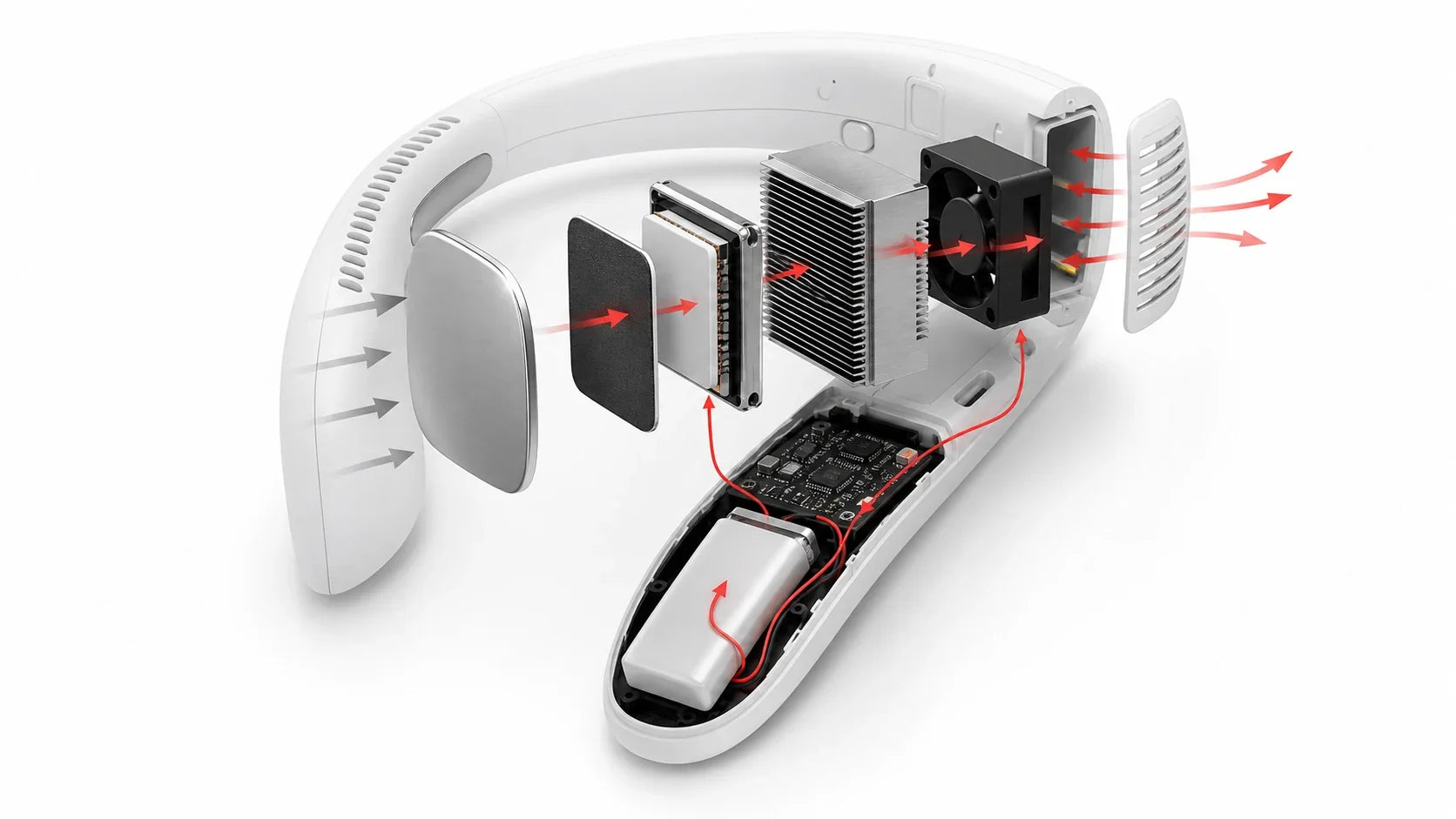
تعمل لوحة التبريد على نقل الحرارة بعيدًا عن الجانب المواجه للجلد. ثم يجب على النظام إطلاق تلك الحرارة عبر الجانب الساخن.
وهذا يتطلب عمل الوحدة الكهروحرارية ومروحة الجانب الساخن وإلكترونيات التحكم معًا.
كما أن قوة التبريد الأعلى تولّد مزيدًا من الحرارة التي يجب إزالتها. ولهذا السبب يمكن أن يقلل التبريد القوي من مدة التشغيل بشكل حاد.
إن انسداد فتحات العادم يؤدي إلى تفاقم المشكلة. فقد يعمل الجهاز بجهد أكبر، أو يُشعر ببرودة أقل، أو يقلل من إخراجه.
حافظ على وضوح جميع فتحات التهوية. يغطي دليل سلامة مروحة الرقبة احتياطات الشعر والجلد والحرارة والبطارية.
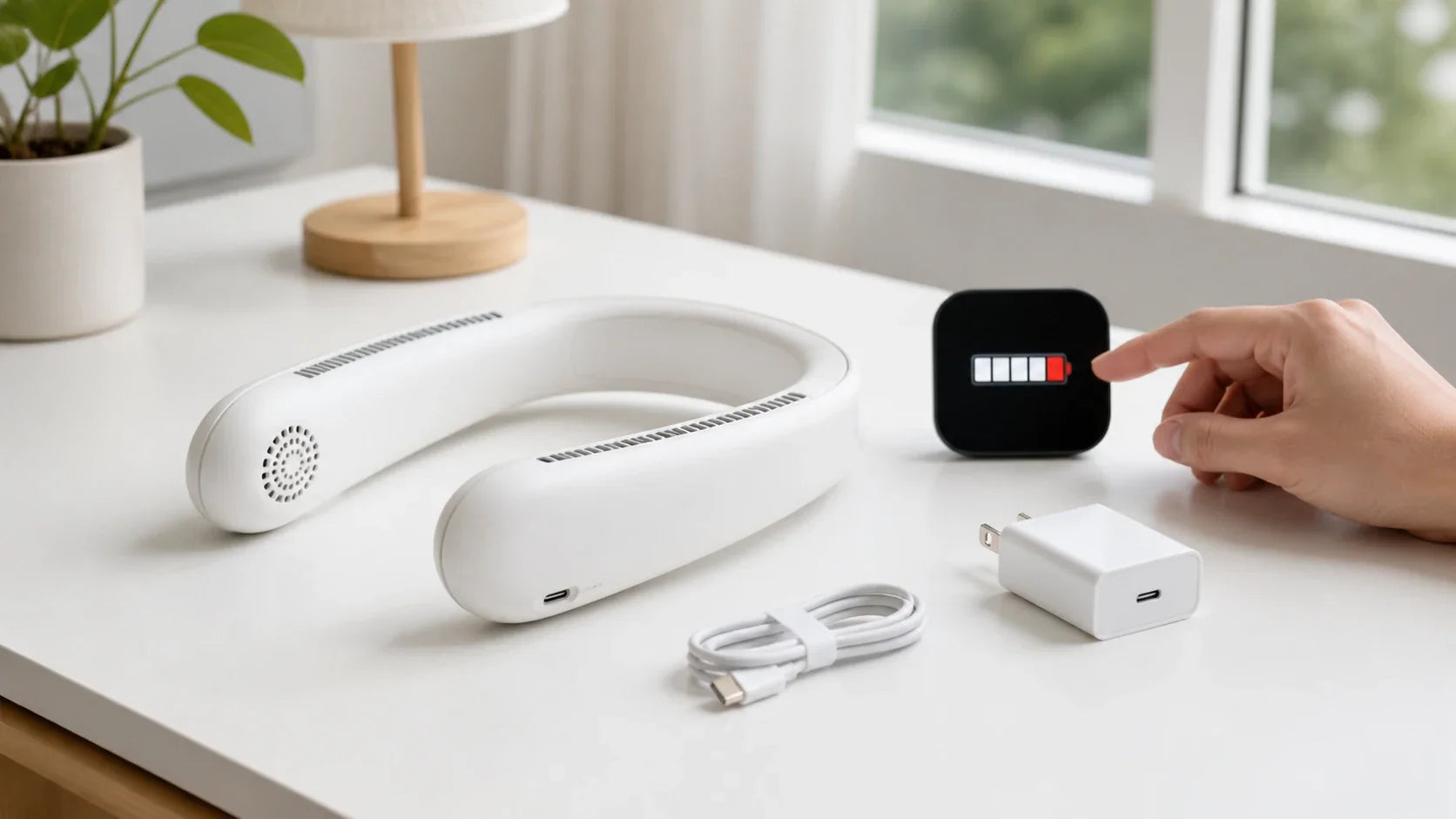
هل يمكنك استخدام شاحن سريع؟

أحيانًا. تحقق من ملصق الإدخال والدليل أولاً.
لا يرسل شاحن USB-C عالي القوة الكهربائية تلقائيًا أقصى طاقة له. يتيح USB Power Delivery للجهاز المتوافق طلب الطاقة التي يحتاجها.[2]
لكن شكل الموصل وحده لا يثبت التوافق.
يظل الجهاز والشاحن والكابل بحاجة إلى دعم الجهد والتيار وبروتوكول الشحن الصحيحين.
استخدم قائمة التحقق هذه:
| تحقق من | ما يجب فعله |
|---|---|
| جهد الإدخال | طابق القيمة المسموح بها في الدليل |
| تيار الإدخال | استخدم شاحنًا وكابلًا قادرين على توفير التيار المطلوب |
| بروتوكول الشحن | تأكد مما إذا كان الجهاز يدعم USB القياسي أو USB-C PD أو طريقة أخرى |
| حالة الكابل | استبدل الكابلات المهترئة أو السائبة أو المتضررة بالحرارة |
| جودة الشاحن | استخدم الشاحن المرفق أو شاحنًا متوافقًا ذا سمعة جيدة |
لا تجبر الكابل على الدخول في المنفذ.
لا تستخدم محولاً غير معروف لمجرد أنه يناسب.
تعتمد سلامة البطارية على الخلايا ودائرة الحماية والشاحن والمنتج النهائي كعمل نظام واحد.[3]
هل يمكنك شحن مروحة الرقبة باستخدام بنك الطاقة؟
غالبًا، نعم.
يجب أن يسمح الدليل بالشحن عبر USB. يجب أيضًا أن يتطابق خرج بنك الطاقة مع مدخل الجهاز.
استخدم كبلًا سليمًا. حافظ على جفاف الاتصال. ضع المنتجين في مكان يمكن أن تتسرب منه الحرارة.
قد تتسبب بعض الأجهزة منخفضة الطاقة في إيقاف تشغيل بنك الطاقة تلقائيًا. عادةً ما تكون هذه مشكلة توافق، وليست دليلًا على أن المروحة معيبة.
للسفر الجوي، احمل الأجهزة التي تعمل بالليثيوم وبنوك الطاقة في الأمتعة المحمولة التي يمكن الوصول إليها عند الإمكان. تُحظر بطاريات الليثيوم الاحتياطية وبنوك الطاقة في الأمتعة المسجلة وفقًا لإرشادات إدارة الطيران الفيدرالية.[4]
قد تطبق شركات الطيران قواعد أكثر صرامة.
سبع عادات تحمي عمر البطارية
1. أبقِ الجهاز بعيدًا عن الحرارة
لا تتركه في سيارة حارة أو تحت أشعة الشمس المباشرة في الصيف.
يمكن أن تؤدي درجة الحرارة المرتفعة إلى تسريع شيخوخة البطارية.[5] كما يمكن أن تؤدي إلى تفعيل أنظمة الحماية.
2. اتركه يبرد قبل الشحن
بعد وضع التبريد القوي، أوقف تشغيل الجهاز.
انتظر حتى يعود إلى درجة حرارة طبيعية قبل توصيل الطاقة.
3. حافظ على جفاف منفذ الشحن
العرق والتكثف لا ينتميان إلى منفذ الشحن.
جفف الجزء الخارجي كما يوجه الدليل. لا تدخل أبدًا معدنًا أو أداة مبللة في المنفذ.
4. استخدم أقل إعداد فعال
الوضع الأقصى ليس دائمًا أكثر راحة.
يمكن أن يؤدي الوضع المنخفض المستدام إلى إطالة كل شحنة وتقليل الحرارة.
5. لا تجعل التفريغ العميق عادة
أعد الشحن قبل أن تنتهي كل جلسة بإيقاف تشغيل تلقائي.
اتبع مؤشر بطارية المنتج بدلاً من الانتظار حتى النفاد الكامل.
6. خزنه بشكل صحيح
أوقف تشغيله. أبقِه جافًا. احمِه من الضغط والصدمات.
للتخزين الطويل، اتبع مستوى الشحن وجدول إعادة الشحن في الدليل. لا تخزن البطارية فارغة لأشهر.
7. افحصه قبل الشحن
ابحث عن انتفاخ أو شقوق أو بلاستيك ذائب أو تآكل أو رائحة غير عادية أو منفذ مرتخٍ.
توقف عن استخدام جهاز تالف. لا تفتح حزمة البطارية المدمجة بنفسك.
هل يمكنك استخدام مروحة الرقبة أثناء شحنها؟
لا تفترض أنك تستطيع.
الشحن يولد حرارة. التبريد النشط ووضعيات المروحة السريعة تولد حرارة أكبر.
الكابل القريب من الرقبة قد يعلق أيضًا أو يقيد الحركة.
استخدم الجهاز فقط أثناء الشحن إذا كان الدليل المحدد يسمح بوضوح بالتشغيل العابر. وحتى في هذه الحالة، حافظ على الكابل آمنًا وتوقف إذا أصبح الجهاز دافئًا بشكل غير عادي.
الوضع الافتراضي الأكثر أمانًا بسيط: أوقف تشغيله، وخلعه، واشحنه على سطح جاف وثابت.
لماذا تستنزف بطارية مروحة الرقبة بهذه السرعة؟
ابدأ بوضع التشغيل.
السرعة العالية للمروحة والتبريد النشط يمكن أن يفسرا فرقًا كبيرًا.
ثم تحقق من:
-
هل وضع التبريد ما زال نشطًا؟
-
هل الشعر أو الملابس يسد فتحة التهوية؟
-
هل تبدأ البطارية بشحن كامل المشار إليه؟
-
هل يُستخدم الجهاز في حرارة غير عادية؟
-
هل انخفض وقت التشغيل تدريجيًا عبر دورات شحن عديدة؟
-
هل ينطفئ الجهاز مع بقاء شحن ظاهر؟
قم بإجراء اختبار مراقب واحد.
ابدأ بنفس الشحن المشار إليه. استخدم وضعًا ثابتًا واحدًا. حافظ على فتحات التهوية خالية. سجل وقت البدء والانتهاء.
إذا بقي وقت التشغيل أقل بكثير من النطاق الموثق للطراز، فاتصل بالدعم. لا تفتح الغلاف.
ماذا لو لم يتم شحن مروحة الرقبة؟
أطفئها وخلعها من رقبتك.
ثم اتبع هذه الفحوصات:
-
تأكد من أن المنفذ أو بنك الطاقة يعمل.
-
استخدم الشاحن والكابل المحددين.
-
افحص المنفذ بحثًا عن رطوبة أو وبر أو تلف مرئي.
-
اترك الجهاز الساخن جدًا أو البارد جدًا يعود إلى درجة حرارة الشحن المسموح بها.
-
تحقق من الدليل لمعرفة معاني مؤشر الضوء.
-
اتركه متصلاً فقط لمدة التعافي المسموح بها من الدليل.
توقف إذا انتفخ الجهاز أو انبعث منه دخان أو رائحة غير عادية أو أصوات هسهسة أو أصبح ساخنًا بشكل غير طبيعي. تحدد CPSC ارتفاع الحرارة والحرائق ومخاطر الكهرباء المرتبطة بالشاحن من بين المخاطر المرتبطة ببطاريات المستهلك[3].
لا تستمر في تجربة شواحن عالية القدرة مختلفة.
إذا فشلت الفحوصات الأساسية، فاستخدم عملية الدعم الخاصة بالشركة المصنعة.
الأسئلة المتكررة
هل يعني رقم مللي أمبير أكبر دائمًا وقت تشغيل أطول؟
لا. الجهد وقدرة الجهاز مهمان أيضًا، لذا قارن بين واط-ساعة ووقت التشغيل المُختبر حسب الوضع.
هل يمكنني استخدام شاحن هاتف سريع؟
فقط إذا كان خرجها وبروتوكولها متوافقين مع الإدخال المسموح به في دليل مروحة الرقبة.
لماذا عمر البطارية أقصر في وضع التبريد؟
يعمل التبريد النشط على تشغيل نظام كهروحراري وإزالة الحرارة من الجانب الساخن بالإضافة إلى الإلكترونيات العادية.
كم من الوقت تستغرق مروحة الرقبة للشحن؟
يعتمد ذلك على طاقة البطارية وقدرة الإدخال المدعومة ومنحنى الشحن. استخدم الوقت المذكور في نموذج الجهاز وسلوك المؤشر.
هل يمكنني ترك مروحة الرقبة للشحن طوال الليل؟
اتبع الدليل. تجنب الشحن دون مراقبة، وأبقِ الجهاز غير مُغطى وافصله كما هو موضح بعد اكتمال الشحن.
هل يجب عليّ استبدال البطارية بنفسي؟
ليس إذا كانت مدمجة. استخدم خيار خدمة معتمد واتبع قواعد التخلص من البطاريات المحلية.
الخلاصة
لا تحكم على عمر بطارية مروحة الرقبة من خلال مللي أمبير فقط.
قارن واط-ساعة. تحقق من وقت التشغيل حسب الوضع. توقع أن يستخدم التبريد النشط طاقة أكبر.
للشحن، طابق الدليل. حافظ على جفاف المنفذ. توقف عن استخدام الجهاز التالف أو الساخن بشكل غير طبيعي.
الخطوة التالية: استخدم حاسبة وقت التشغيل مع جهد بطارية جهازك وسعتها وقدرة التشغيل المُقاسة.